
Launch and growth
Resume Writing Website Examples: What Your Homepage Should Explain
Explore three illustrative resume writing website examples and learn what a clear homepage should say about audience, scope and next steps.
Resume writing website examples are most useful when they show how an offer is explained, not just how a page looks. A visitor should understand who the service is for, what they receive and what happens after clicking the main button. The examples below are original planning concepts, not claims about existing clients or their results.
Example 1: A specialist human review service
Illustrative headline: “Resume feedback for professionals moving into operations roles.” The next paragraph explains that the customer submits a draft and receives prioritized written feedback within the stated turnaround.
The main action could be “See the review process.” Supporting sections should show the deliverable, scope, reviewer background and revision rules. Avoid suggesting that buying a review guarantees an interview.
Example 2: A self-service resume platform
Illustrative headline: “Create and manage your resume in one workspace.” The page should demonstrate the actual editor, explain account and export requirements and show the paid-access conditions.
A resume business landing page needs a real product view. A decorative mockup should not imply functions the platform does not have. Show readable screenshots and give visitors a way to explore the workflow.
Example 3: A coach-led preparation package
Illustrative headline: “Prepare your resume before your next coaching session.” Explain that the client drafts career information in a portal and receives a defined coaching review.
The customer needs to know whether portal access is included in coaching, how long it lasts and what personal support is available. Keep the software and appointment promises distinct.
The homepage content checklist
| Section | Question it should answer |
|---|---|
| Headline and opening | Is this for someone like me? |
| How it works | What will I do and receive? |
| Real example | Can I see the actual deliverable or tool? |
| Pricing explanation | What is included and when am I charged? |
| Trust information | Who operates the service and how can I contact them? |
| Questions and next action | What should I do if I am ready or uncertain? |
Test the page with someone unfamiliar
Ask a new reader to explain the offer after a short visit. Then ask what the main button will do. If their expectation differs from the next screen, adjust the label or destination.
For resume service website design, check contrast, readable text, keyboard use and small-screen layout. Long plan names, review descriptions and form messages should remain visible on mobile. Do not hide important conditions inside a collapsed section while the main sales claim suggests something broader.
A resume writing website can be visually distinctive and still use plain language. Clarity about the service is usually more valuable than another decorative section.
THE PRODUCT IN THIS GUIDE
Where WP CV Builder fits
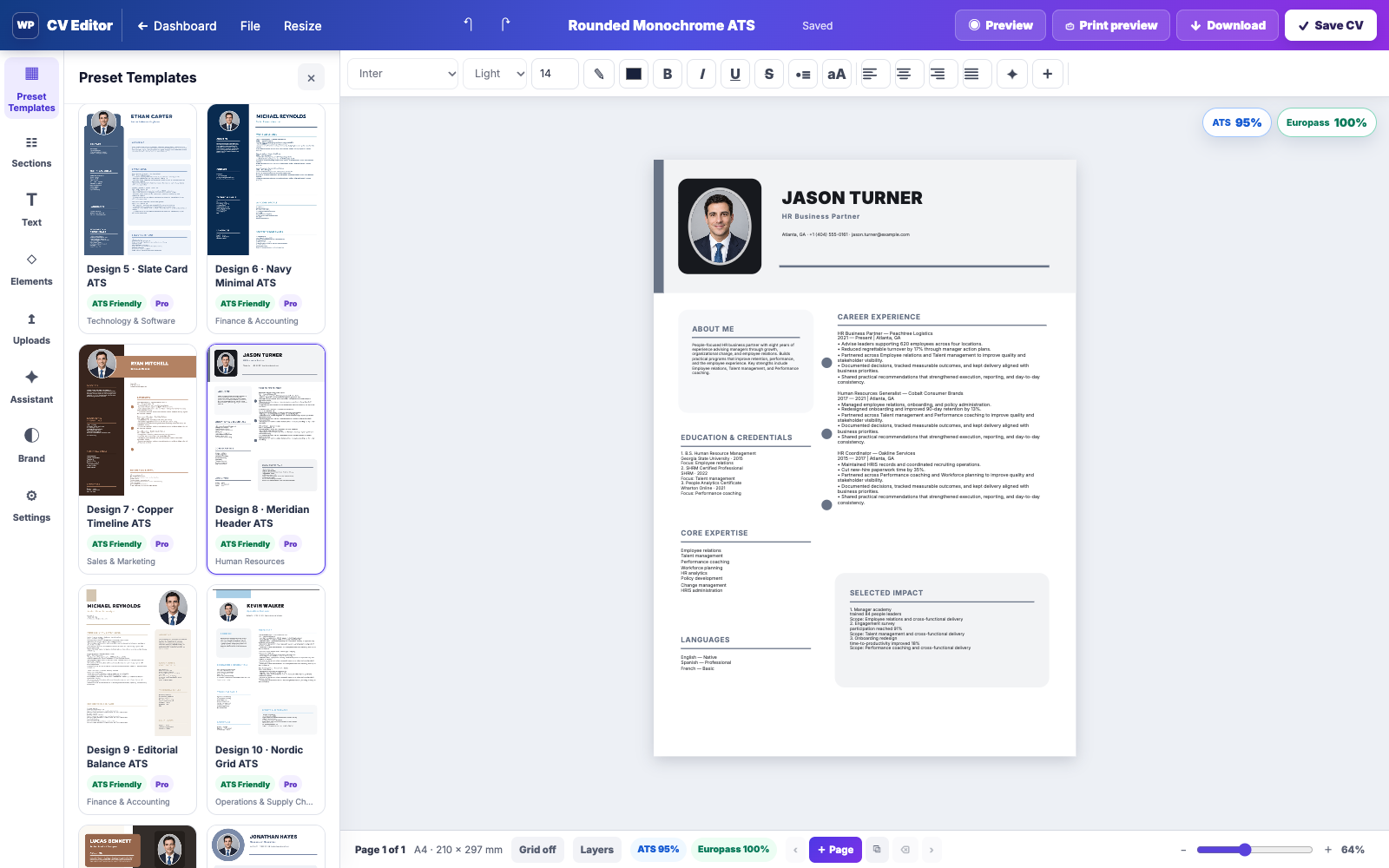
WP CV Builder can supply the actual editing and customer-dashboard screens for a software-supported service. Its Pro branding controls help align the customer-facing experience with your business. Use your own configured screenshots and the real product tutorials to explain what users can do, and keep plan terms aligned with checkout.
Common questions
Can I copy a competitor’s homepage?
Use comparisons to learn what questions buyers need answered. Create your own wording and use original or permission-cleared assets rather than copying another business.
Should every button say Buy Now?
Use a label that matches the next action. A product tour, review explanation and checkout are different destinations.
Product information: current features, plan comparison and documentation. This guide is published by the WP CV Builder product team. Examples and calculations are illustrative unless stated otherwise.