Plans and payments
Create Free or Pro access, subscriptions, pay-per-CV downloads and paid services through WooCommerce.
WP CV Builder connects front-end CV creation, subscriptions, templates, ATS guidance, AI, emails, paid reviews, jobs and employers—under your own brand.
Start with the full customer experience, then add the revenue streams and services that fit your market.
Create Free or Pro access, subscriptions, pay-per-CV downloads and paid services through WooCommerce.
Use your business name, logo, colors, menu, emails and customer-facing pages.
Offer ATS Friendly and Non-ATS designs with independently controlled Free or Pro access.
Create, preview and publish original CV layouts with the website-exclusive Template Builder bundle.
Update practical structure, keyword and content feedback while the customer edits.
Choose the provider model and help users write profiles, job descriptions and cover letters.
Turn uploaded CV files and LinkedIn export data into editable CV sections.
Let customers build several targeted CVs, restore versions and track downloads.
Collect payment, let an admin edit the selected CV and notify the customer when it is ready.
Design platform emails and an optional automatic manual-review invitation for new CV customers. Control the message, branding, timing and on/off switch.
Publish full job details, recommend roles and accept AJAX applications with a saved CV.
Allow employers to register, pay when required, publish jobs and manage applicants without wp-admin.
Let visitors upload an existing CV or resume and receive a privacy-first ATS score before registration.
Let paid CV users speak naturally, review the transcript and add it to the About Me section in the editor.
On mobile, scan an existing paper CV with the camera and convert the recognized content into editable sections.
Recommend roles from a customer CV and filter by keyword, job type, work mode, location, country and level.
Let customers install the front-end CV workspace from a licensed website as a branded mobile experience.
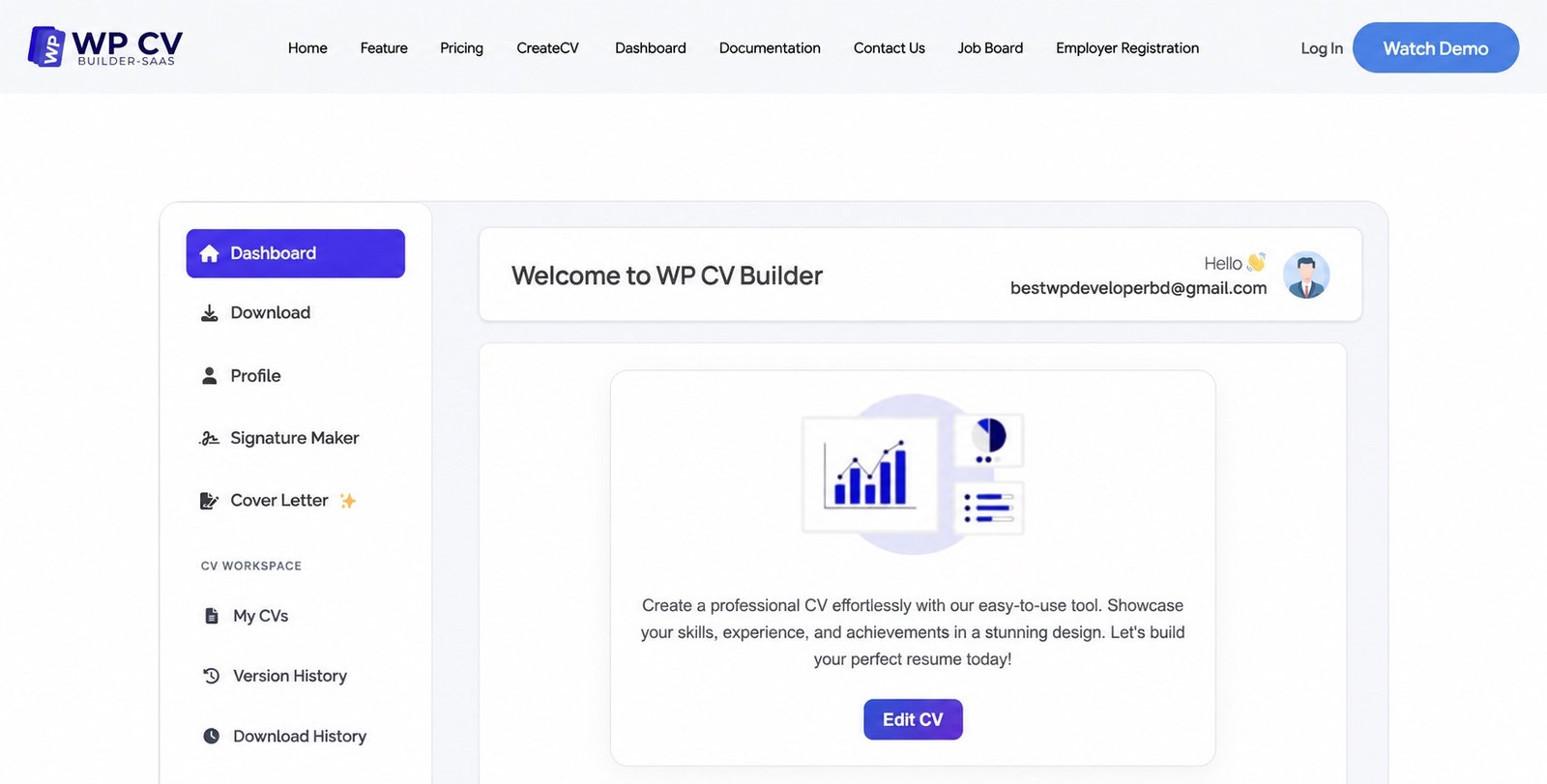
These are real WP CV Builder interfaces, not generic dashboard mockups.
Customers can manage CVs, subscriptions, downloads, versions, signatures, cover letters, applications and review requests from one branded dashboard.
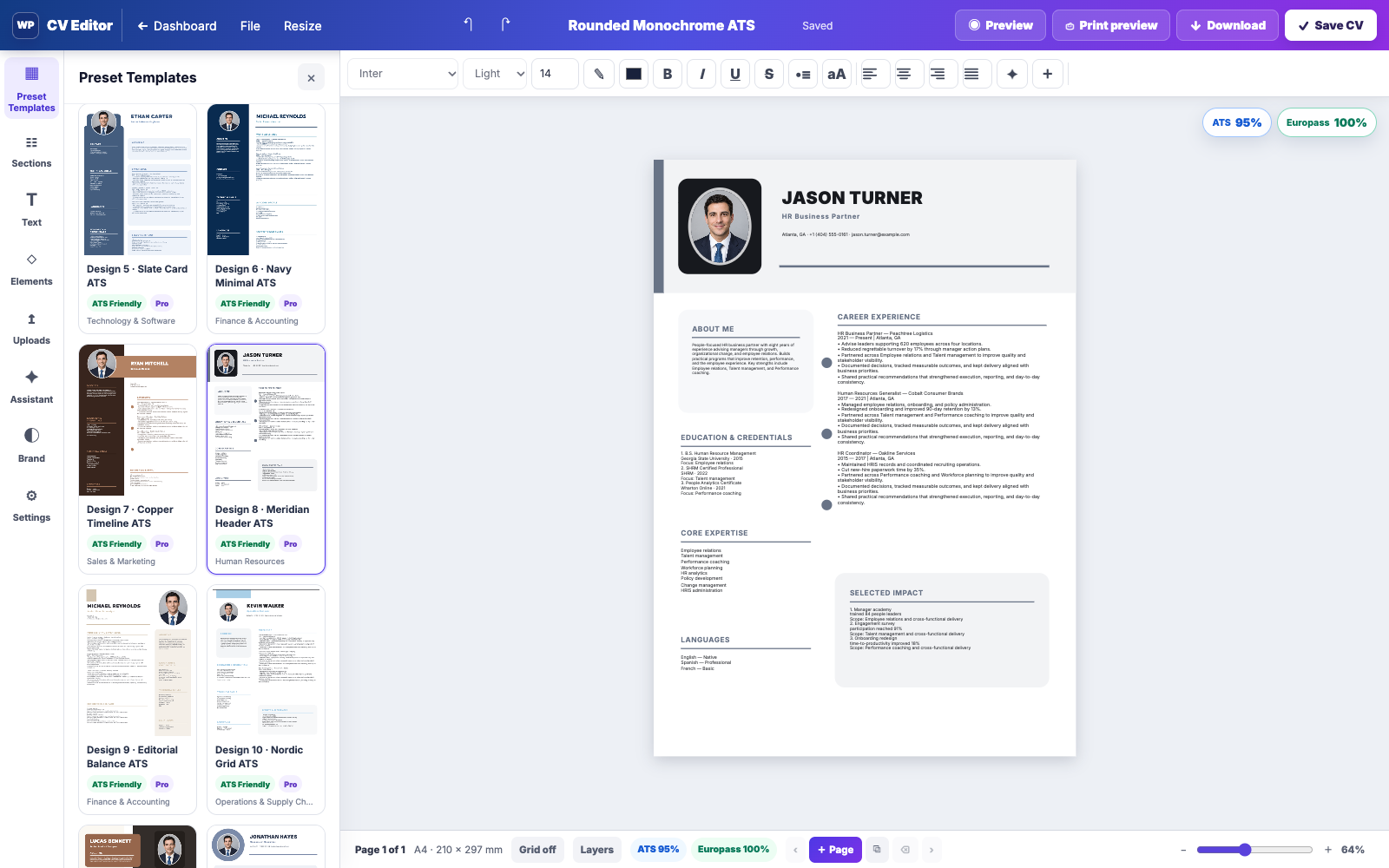
The responsive front-end editor keeps content controls, template selection, styling, ATS feedback, preview and export in one focused workspace.
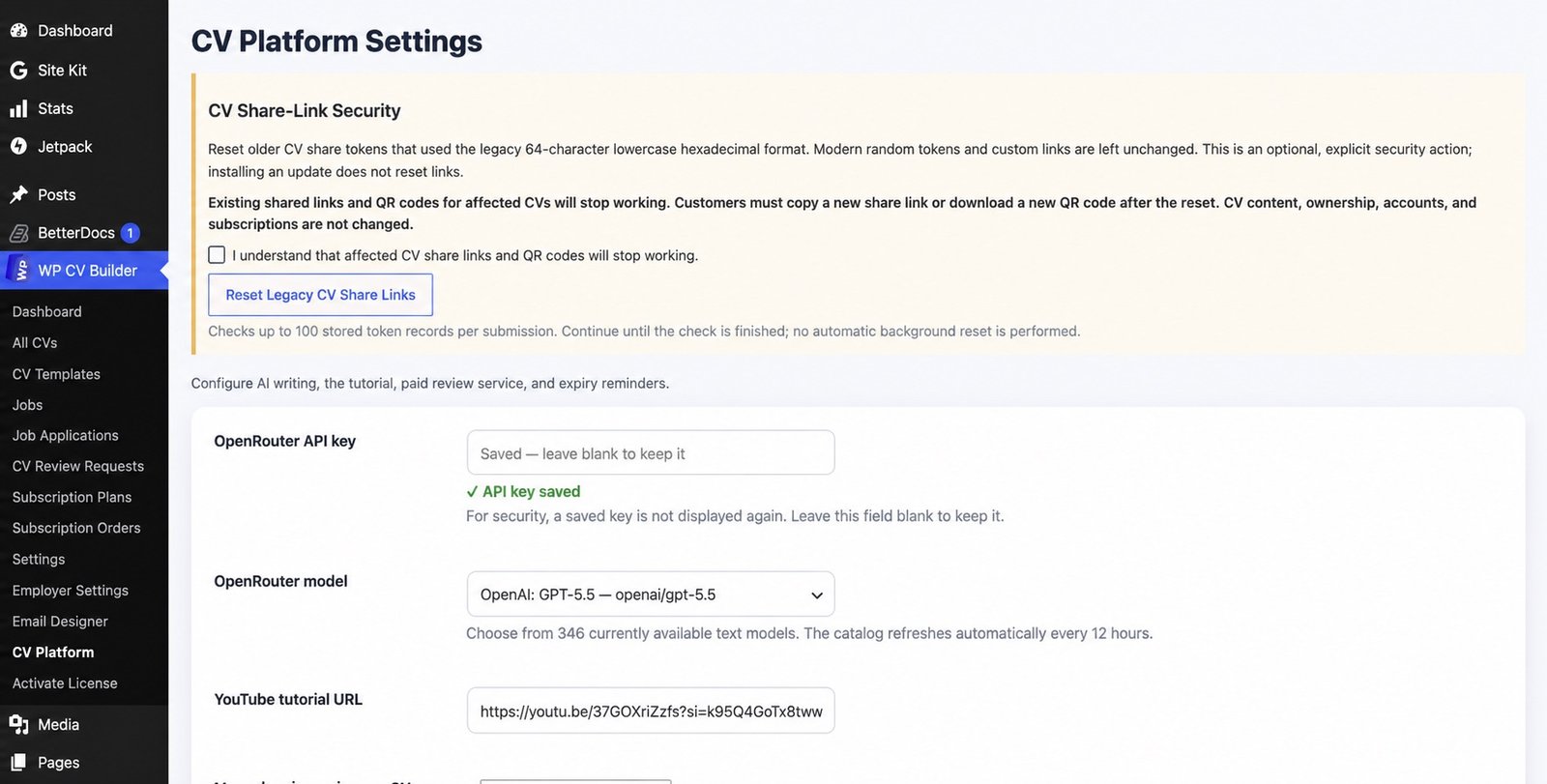
Choose the OpenRouter model, tutorial video, pricing, access rules, renewal notices, review service and secure share-link behavior from platform settings.
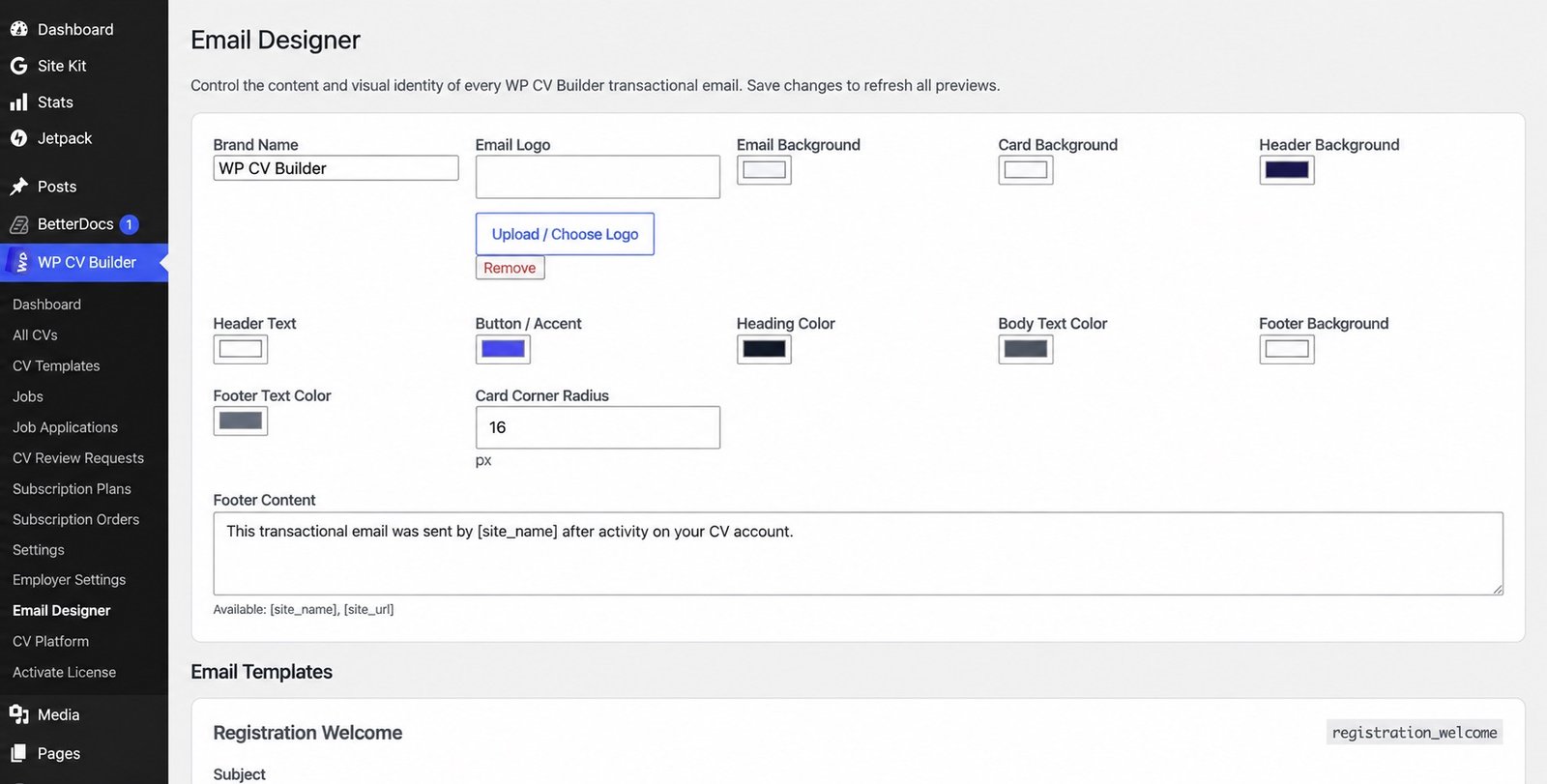
Upload a logo and customize emails for CV creation, subscriptions, employers, job applications, reviews, passwords and expiry reminders. Pro also includes a one-time manual review offer after registration, with an admin on/off switch, adjustable delay and unsubscribe link.
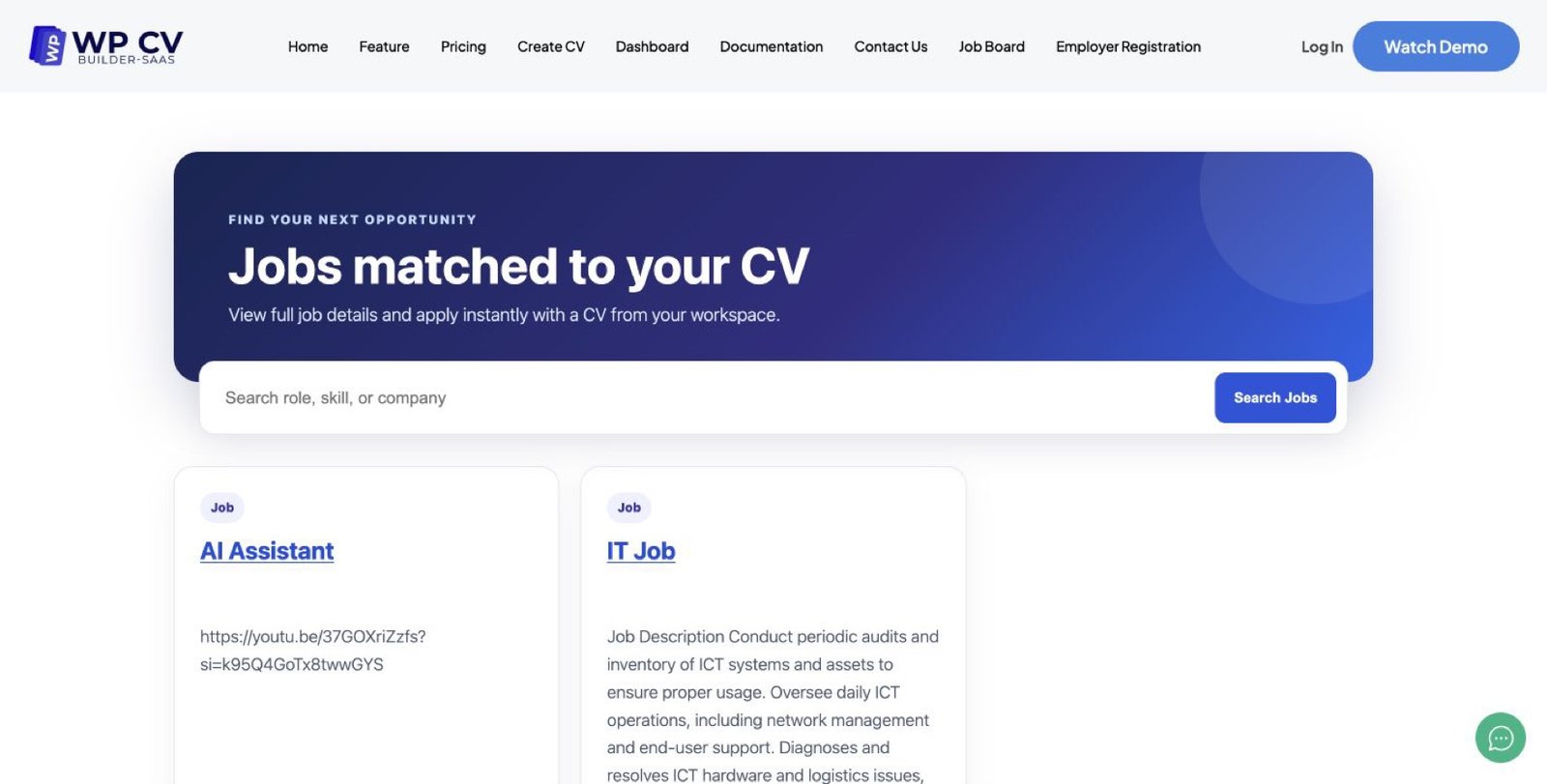
Show searchable jobs, complete job details and CV-based applications while employers manage their own vacancies and candidates on the front end.
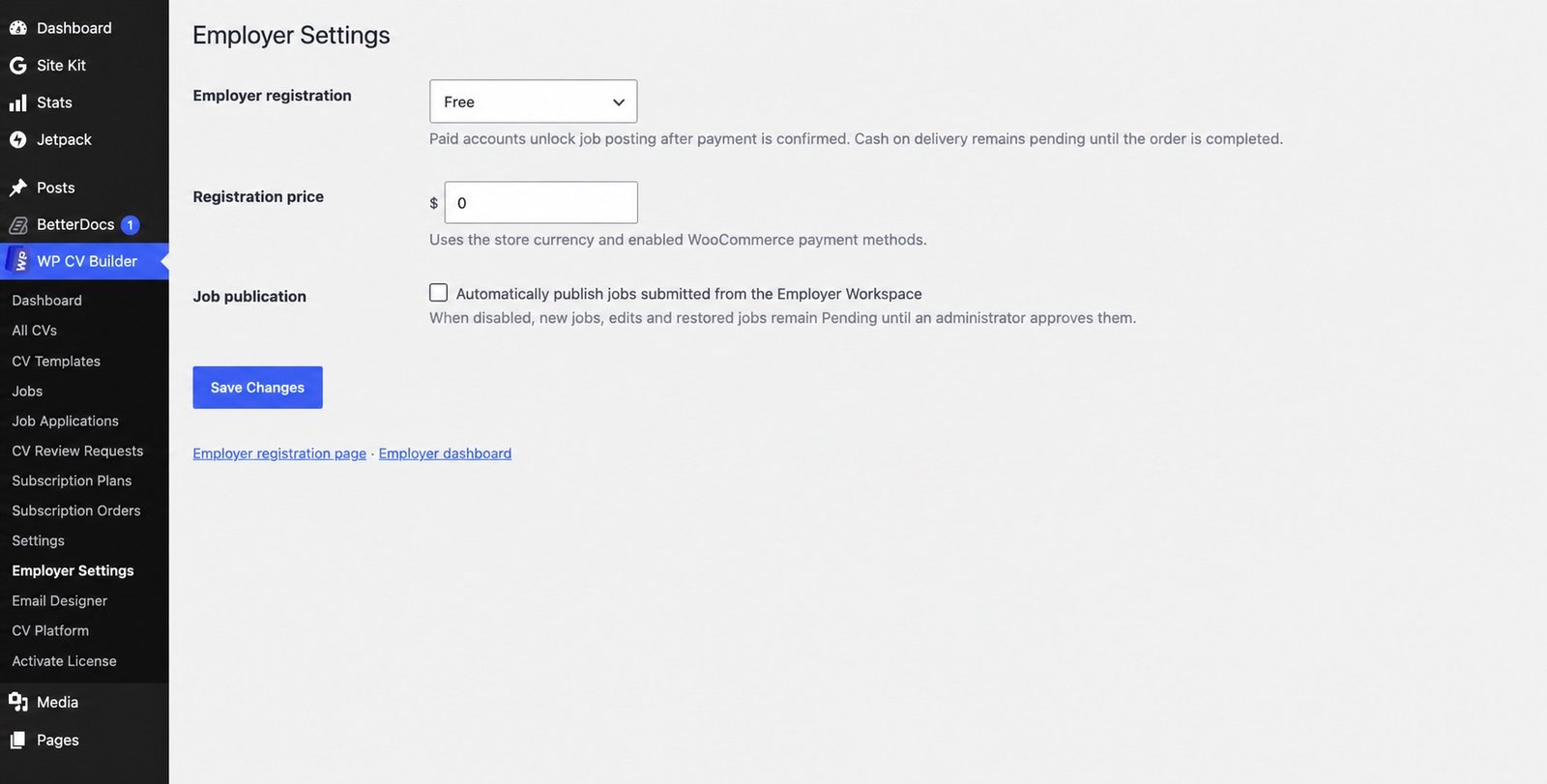
Set employer registration to Free or Paid, define the fee, connect WooCommerce and decide whether submitted jobs publish automatically or wait for review.
Templates, live editing, AI assistance, ATS guidance and multiple export formats stay in one consistent workspace.
Preview registrationCombine subscriptions, downloads, reviews, employer access, job posting and custom template services without revenue share.
Choose a planNew creation, lead-generation, mobile editing and retention tools work inside the existing Free/Pro access model.
WooCommerce opens in a focused payment popup. After a successful order, the popup closes and the customer resumes the CV preview, download, editor, dashboard, or subscription page that started checkout.
Choose a plan →The mobile All Tools panel keeps CVs, versions, downloads, subscriptions, reviews, job applications and Job Discovery within reach.
Open the workspace →The existing About Me action uses the administrator-selected OpenRouter model, while the API key remains protected on the server.
Explore AI features →Send a visitor through registration and email verification, then open the Pro importer automatically with their selected template preserved.
Upload your CV →Photograph up to five existing CV pages. Secure OpenRouter vision OCR extracts editable profile, experience, education, skills and language fields without saving the images in WordPress media.
Scan an existing CV →Customers can dictate CV content in supported browser languages, review the transcript and insert it safely into their professional summary.
Offer a privacy-first lead magnet that analyzes PDF, DOCX and TXT files locally in the visitor's browser—with optional job keyword guidance.
Try the ATS checker →Search local jobs and configured official providers by keyword, job type, workplace, location, country and level, then rank results against a saved CV.
Give customers an app-like workspace on phone or desktop with your name, icon and colors—without a separate native app-store build.
Customers can search, select, save, preview and edit any enabled template. Designs marked Pro require an active subscription only when Download or Print is selected.
Explore 37 templates →Customers switch between Edit, Split and Preview, resize the workspace, open sections from a bottom sheet and keep the real A4 CV visible while editing.
Create a CV →A career-focused home shows CVs, downloads, applications, recent activity and quick actions with persistent Home, My CVs, Create, Jobs and Profile navigation.
Open the workspace →