Product selection
WordPress Resume Builder Plugin: 12 Things to Check Before Buying
Use a 12-point WordPress resume builder plugin checklist covering the editor, exports, plans, AI, branding and ongoing operating requirements.
Choosing a WordPress resume builder plugin is a workflow decision. Attractive templates matter, but your customers also need registration, saving, clear payment rules and a complete final document. This checklist comes from the WP CV Builder product publisher, so use it as a transparent evaluation guide rather than an independent ranking of competing products.
The 12 checks before purchase
- Installation model: Confirm whether you install a plugin or buy a hosted service.
- Customer editor: Try entering and changing realistic career information.
- Saved work: Check that a customer can reopen the intended document.
- Preview and export: Inspect the final file, not only the editing screen.
- Template library: Check layout quality with long and varied content.
- Admin design tool: Distinguish preset creation from normal resume editing.
- AI requirements: Confirm provider setup, costs and fact-checking needs.
- Customer access: Test free, paid and expired states.
- Payment journey: Verify plan names, billing interval and entitlement.
- Branding: Check the account pages, dashboard and emails.
- License: Confirm website allowance, term and renewal.
- Operations: Plan hosting, backups, updates and support.
Use difficult sample content
A demo with one short experience entry can hide layout problems. Add a long name, a multi-line title, several experience items and multiple education entries. Preview the document on desktop and mobile, then inspect the exported result.
The best WordPress resume builder plugin for your project is the one that meets your requirements reliably. A longer feature list is less useful if the main customer task is confusing.
Ask what the plan actually includes
| Potential misunderstanding | Question to ask |
|---|---|
| Editor vs. template designer | Can customers edit resumes, and can admins create presets? |
| AI included vs. AI costs included | Do I need my own provider account and usage budget? |
| Lifetime vs. unlimited sites | What is the website allowance? |
| White label vs. source resale | Which branding and redistribution rights apply? |
| Plugin purchase vs. hosted service | Who supplies the website infrastructure? |
Check optional integrations separately
If you need a particular payment method, institutional login or external service, confirm support before purchase. Do not assume that a CV builder WordPress plugin includes every integration common elsewhere in WordPress.
Elementor compatibility and an Elementor requirement are also different. Ask whether the core workflow works through blocks or shortcodes and whether any bonus add-on is a separate product.
Make a short buying decision
Record the must-have requirements, the plan that covers them and any unresolved question. Watch the real tutorials and use the live demo where available. Keep the current license, support and refund terms with your purchase notes.
A resume builder plugin for WordPress can reduce assembly work, but it cannot supply your audience or operate every part of the business for you.
THE PRODUCT IN THIS GUIDE
Where WP CV Builder fits
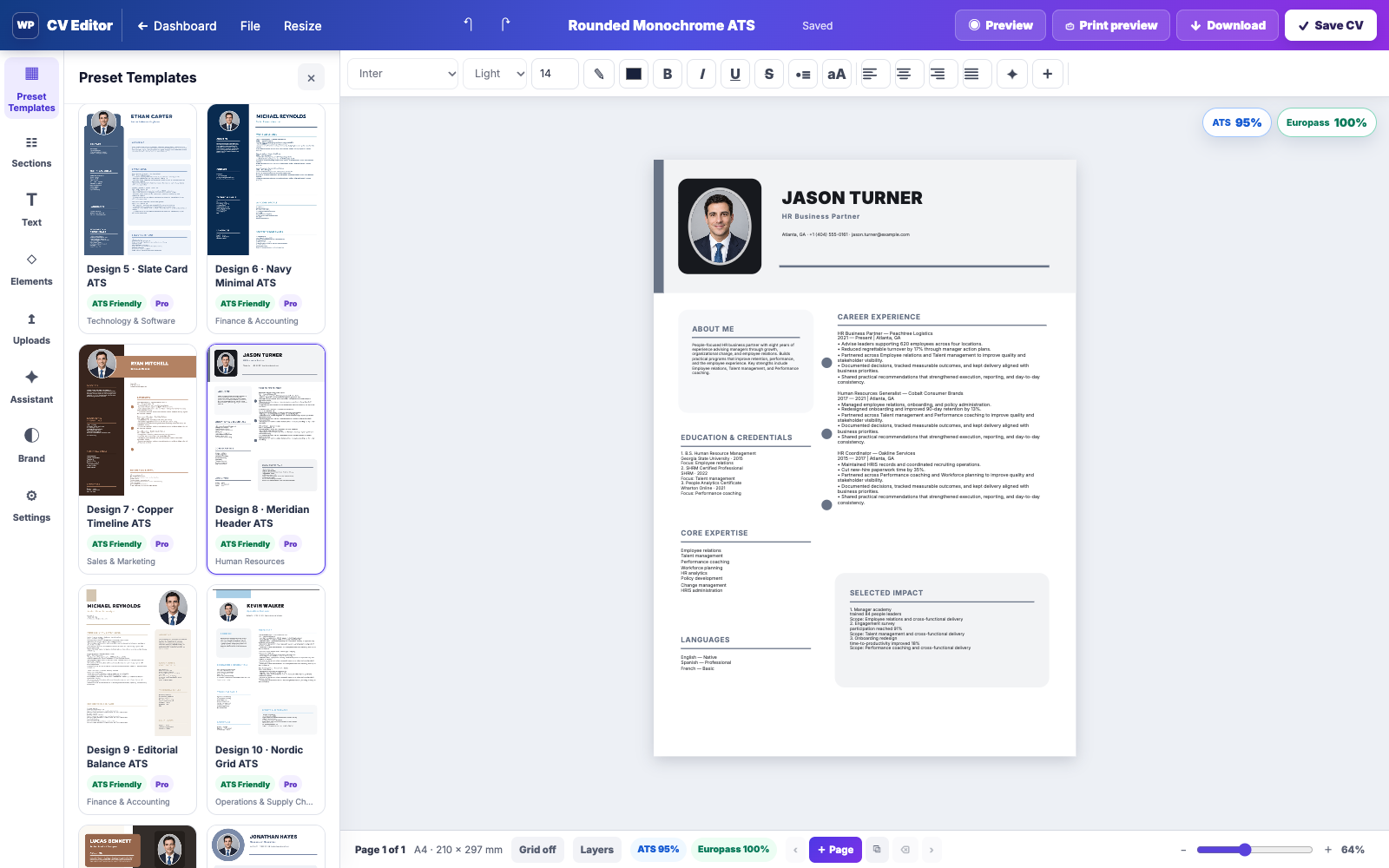
WP CV Builder provides the customer visual editor across its Pro platform, with Pro branding and career tools. The admin visual Template Builder belongs to the Template Builder plan. The current Pro plans cover one website each, and the core tools do not require Elementor. Hosting and configured AI-provider costs are separate.
Common questions
Is this an independent comparison?
No. It is published by the WP CV Builder team. Use the checklist, actual demos and current terms to evaluate whether the product fits your project.
Should I buy before testing the export?
Inspect the available demonstration and ask about any critical requirement first. A finished document is part of the promised customer outcome.
Product information: current features, plan comparison and documentation. This guide is published by the WP CV Builder product team. Examples and calculations are illustrative unless stated otherwise.