Product selection
Resume Template Builder vs. Resume Editor: What Does Your Business Need?
Understand the difference between a customer resume editor and an admin resume template builder, including workflows and plan selection.
A resume template builder and a resume editor serve different jobs. The customer editor helps a person prepare their own resume. The administrator’s Template Builder helps the business create and publish presets that customers can start from. Understanding the distinction prevents buying a plan for the wrong capability.
Compare the two workflows
| Question | Customer resume editor | Admin Template Builder |
|---|---|---|
| Who uses it? | The person preparing a resume | The site owner or template designer |
| What is the result? | An individual’s resume document | A reusable starting preset |
| What changes? | Career content and exposed formatting controls | The preset layout and supported design elements |
| What must be tested? | Saving, preview and export | Preset publication and use in the customer journey |
When the customer editor is enough
If the existing library covers the audience and your service focuses on writing, review or coaching, you may not need to create new layouts. Customers can start from the available presets and use the editor’s controls.
A resume template editor label can be ambiguous. Ask to see the exact task you need: changing one user’s document is different from adding a new design to the public template library.
When an admin design tool matters
A custom resume template builder becomes more relevant when unique presets are central to your brand or audience. You may need layouts for different content lengths, specialist sections or an institution’s visual identity.
Do not create designs only from an empty page. Fill them with realistic fictional names, roles, projects and education. A layout that looks balanced with two lines can fail when a real customer adds several entries.
Test a preset from publication to export
- Create or adapt a preset using supported admin controls.
- Give it a clear name and category.
- Use realistic sample content and a truthful preview.
- Publish it through the intended workflow.
- Open it as a normal customer.
- Edit, save, preview and export a resume.
- Check that text is not hidden behind shapes or cut off.
This test checks the resume editor vs template builder connection. A saved design in the administrator screen is not proof that the customer can use it correctly.
Choose the plan from the required job
If your priority is running the platform with the existing presets, compare the core Pro options. If creating your own presets is required, choose the plan that explicitly includes the admin visual Template Builder.
Keep the website allowance, term, connected-service costs and support conditions in the same decision. A tool name alone does not describe the complete license.
THE PRODUCT IN THIS GUIDE
Where WP CV Builder fits
In WP CV Builder, the customer visual editor and the admin Template Builder are separate interfaces. The published Pro plans include the customer platform, while the Template Builder Lifetime plan adds the admin preset-design tool. Watch both real workflows before selecting a plan.
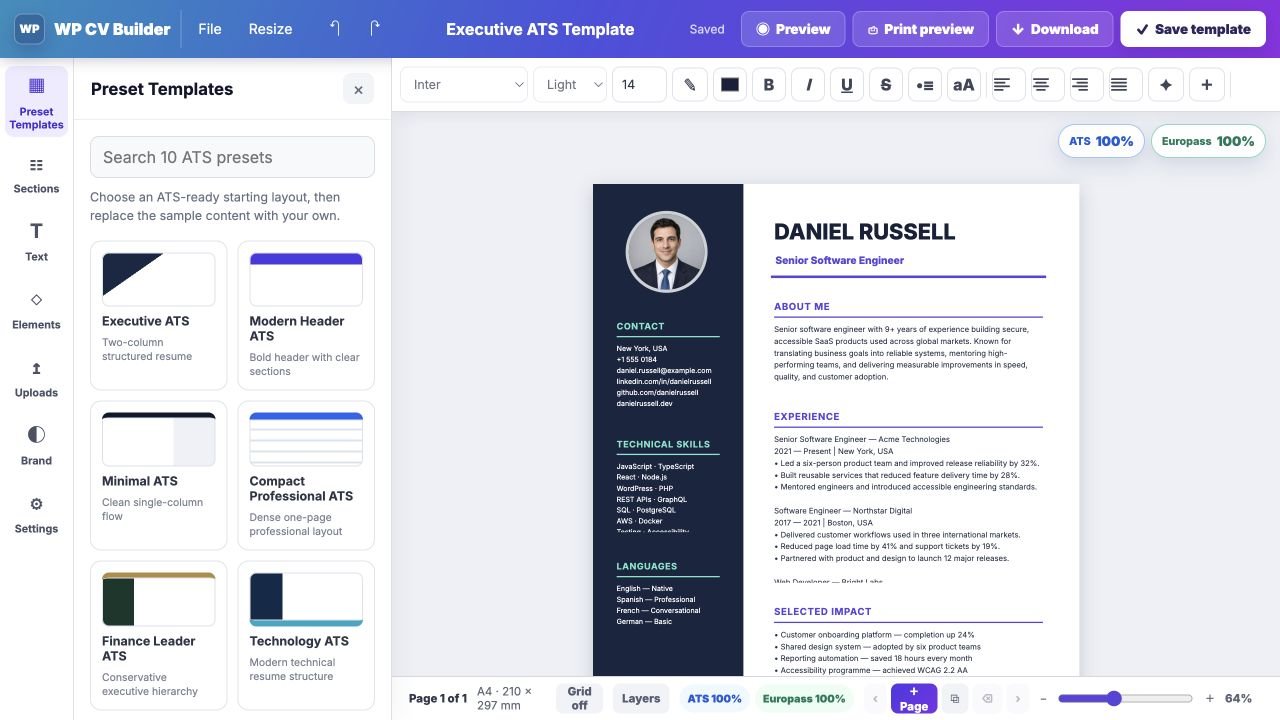
Watch the real workflow

Common questions
Does every Pro plan include the admin designer?
No. The current comparison places the visual admin Template Builder in its designated Template Builder plan.
Can a screenshot prove a template works?
No. Test the published preset with realistic customer content and inspect the final export as well as the preview.
Product information: current features, plan comparison and documentation. This guide is published by the WP CV Builder product team. Examples and calculations are illustrative unless stated otherwise.