Platform experience
How to Create Resume Templates for Your Own Brand
Learn how to create resume templates with realistic sample content, clear structure, readable styles and a tested customer export workflow.
Learning how to create resume templates is partly a design task and partly a content stress test. A preset should help a customer present real career information clearly. Use realistic text from the beginning so visual balance does not depend on unusually short names or almost empty sections.
Start with the content hierarchy
Identify the information a reader needs to find: name, contact details, About Me, experience, education, projects and relevant skills. Include the sections appropriate to the intended audience rather than adding decoration first.
For a student example, projects and education may need more space. For an experienced professional, the experience section may be longer. Custom resume templates should handle the intended content rather than force every career into the same density.
Use a realistic fictional sample
- A plausible full name and job title
- Several experience entries with dates and meaningful descriptions
- Education entries of different lengths
- Projects with a short explanation of the work
- Skills and languages that fit the example
- Contact information clearly labeled as sample data
Do not use a programming language as a person’s name or copy private customer data into the design. Sample information should look realistic without pretending to describe an actual client.
Design for readability before decoration
| Element | Useful check |
|---|---|
| Text colors | Readable against each background |
| Headings | Clear section hierarchy without excessive variation |
| Shapes and lines | No overlap with text or important information |
| Spacing | Enough separation without large unexplained empty regions |
| Long content | No clipping after adding realistic entries |
| Export | All intended text remains present and readable |
Stress the layout deliberately
Try a longer surname, a multi-line role and several paragraphs of experience. Remove an optional section and confirm the remaining layout still makes sense. Add a project and see whether the document flows as expected.
When you design resume templates, test the actual controls customers receive. A layout edited successfully by the designer may still confuse a first-time user.
Publish a preset with a clear preview
- Give the design an understandable name.
- Choose an appropriate category.
- Use a current preview of the actual design.
- Open the preset as a normal customer.
- Change content, save and reopen.
- Preview and export the finished document.
ATS friendly resume template design should emphasize clear text and structure, but no design can guarantee success across every employer’s system. Follow the intended application instructions and verify the final file.
THE PRODUCT IN THIS GUIDE
Where WP CV Builder fits
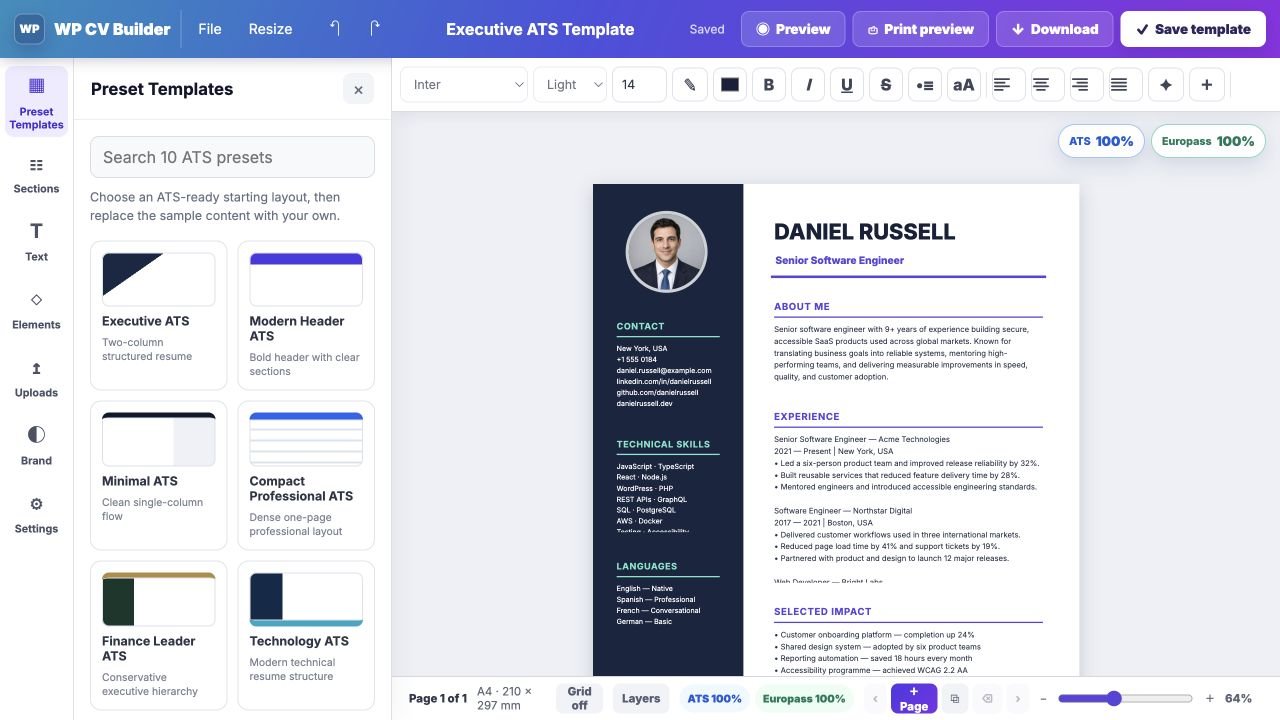
WP CV Builder’s admin visual Template Builder is available in the Template Builder plan. It lets the owner create presets for the customer library. The customer editor is a separate workflow, so each new preset should be tested there with realistic content before promotion.
Common questions
Should every template have identical sample content?
Use consistent test cases when comparing layouts, and add audience-specific examples where they teach the intended use. Keep all samples fictional and accurate in structure.
Can I promise that a template passes every ATS?
No. Hiring systems and application requirements vary. Describe the actual readability and export checks you performed.
Product information: current features, plan comparison and documentation. This guide is published by the WP CV Builder product team. Examples and calculations are illustrative unless stated otherwise.