Platform experience
Resume Builder vs. Resume Templates: Which Experience Should You Offer?
Compare a resume builder with editable resume templates and understand which workflow fits job seekers and career-service businesses.
The resume builder vs resume templates decision is mainly about workflow. A template gives you a document structure to edit in another application. A builder provides a guided place to enter information, change the presentation and produce a document. The better choice depends on what the user needs to finish and how much support the service provides.
What each option gives the user
| Question | Editable template | Online resume builder |
|---|---|---|
| Where do I work? | In the application required by the file | In the website’s editing workspace |
| How do I start? | Replace the example text and adjust formatting | Enter career facts and use the available editor |
| Who controls layout changes? | The user and the document application | The features and presets exposed by the builder |
| How do I get help? | From the template instructions or seller | From product guidance and the site’s support |
Neither option makes inaccurate career information acceptable. The user should verify every role, date and achievement.
When a template is enough
A confident document editor may prefer a simple file with direct formatting control. If the task is a single straightforward resume and the user already knows the application, a template can be sufficient.
The resume software vs Word templates comparison should include the real editing skill involved. Long text, changed fonts or pasted content can affect a document’s layout. Preview the final export rather than assuming the template remains readable after every edit.
When a guided workspace helps
Online resume builder benefits can include a consistent editing interface, saved work and connected career tools. A service may also offer a separate human review or help with wording. Check the actual product rather than assuming every builder has those capabilities.
A career coach may value a portal because clients can prepare material in one place. A job seeker may value it because the editing steps are easier to understand than manually adjusting a document.
What to test before committing
- Use realistic career information, including a long job title.
- Add enough experience and education to stress the layout.
- Change a section and confirm the rest of the document remains readable.
- Save, reopen and check that the information is intact.
- Preview and export the final version.
- Confirm the price and any account requirements before relying on it.
Resume template editing should not hide the payment or export conditions. Clear instructions matter just as much as attractive designs.
A business can offer both experiences
A template pack can serve confident editors, while a guided platform can support customers who want a more structured workflow. A paid human review can sit alongside either option if its scope is clearly explained.
Keep the offer aligned with the user’s need. Do not sell a software subscription to someone who only needs a one-time file unless the added value is clear.
THE PRODUCT IN THIS GUIDE
Where WP CV Builder fits
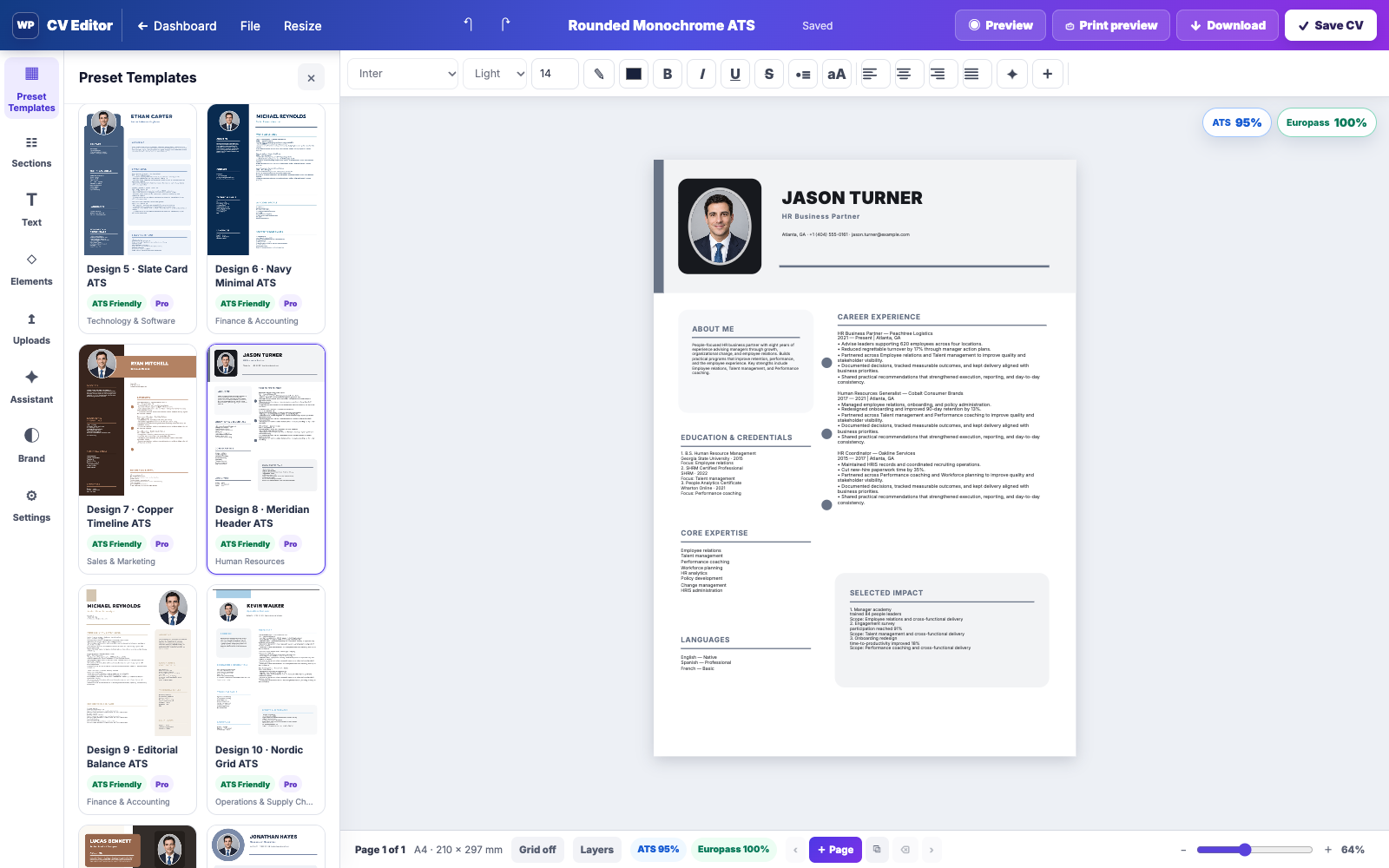
WP CV Builder provides the guided WordPress workspace: users edit a resume, preview it and use the features configured by the owner. The admin Template Builder is a different tool for creating presets, not the same thing as the customer’s resume editor. Compare both workflows in the product demonstration.
Common questions
Does a builder guarantee ATS success?
No. Hiring systems, job requirements and document content vary. Check readability and completeness, and follow the employer’s application instructions.
Is a template always cheaper?
Compare the complete purchase, required application, support and time involved. The lowest initial price does not necessarily fit the task best.
Product information: current features, plan comparison and documentation. This guide is published by the WP CV Builder product team. Examples and calculations are illustrative unless stated otherwise.