Industry opportunities
Bootcamp Career Services: Adding Resume Support to Your Courses
Plan bootcamp career services that help learners prepare accurate resumes, organize projects and request clearly scoped feedback.
Bootcamp career services should help learners explain what they actually learned and built. A resume portal can organize preparation, but the service still needs guidance, review capacity and honest expectations. Start with a course milestone that produces a clear document rather than promising that software will deliver employment.
Connect resume work to real course evidence
A learner may have completed a group project, built a prototype or presented research. Ask what they personally contributed and what can be demonstrated. Avoid copying a sample project result into every student’s resume.
For coding bootcamp career support, the resume should help explain real technical work. Staff can ask learners to connect each claim with a project, repository, demonstration or other appropriate evidence.
Plan a staged preparation process
| Stage | Learner task | Staff task |
|---|---|---|
| Early course | Collect education and prior experience | Explain truthful sample content |
| Project milestone | Describe personal contributions | Check vague or overstated claims |
| Pre-application | Prepare a resume for one target role | Deliver a defined review |
| After feedback | Edit and preview the final document | Confirm the next support boundary |
This is an example teaching workflow, not an automatic cohort-management feature.
Set review capacity before enrollment grows
Estimate how many reviews staff can complete each week, including follow-up questions. State a submission cutoff and turnaround. A portal may organize preparation, but it does not increase human review capacity by itself.
Placement support tools should distinguish preparation from recruitment. Explain exactly what the provider offers: document guidance, interview practice, job information or another defined service. Do not imply a guaranteed employer connection where none exists.
Check access and integration requirements
- How will learners receive access?
- How long does access continue after the course?
- Who handles login and billing questions?
- Does the institution need a specific learning-system connection?
- Which personal documents will be stored and who can view them?
- How will a learner retrieve their final work?
A resume portal for training providers should be tested against these questions. Do not assume course enrollment or single sign-on integrations are available unless they are documented and verified.
Pilot one lesson and one review cycle
Use a small group and one fictional sample role. Ask learners to prepare a draft from their own facts, then observe where they struggle. Measure completeness, common questions and staff review time.
Improve the instructions before expanding the audience. A short, repeatable lesson can be more useful than enabling every career tool at the same time.
THE PRODUCT IN THIS GUIDE
Where WP CV Builder fits
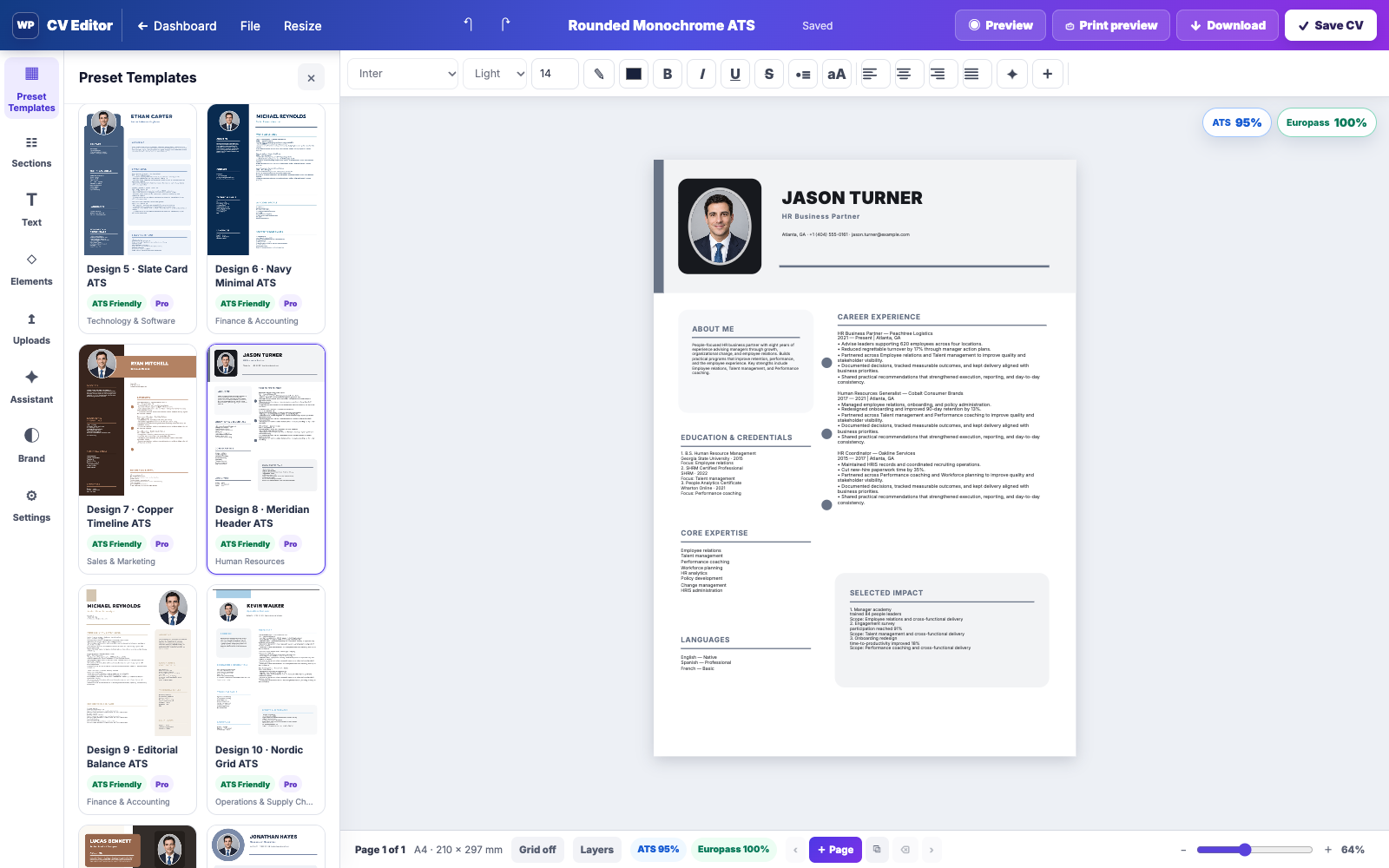
WP CV Builder can supply the editing and customer-dashboard portion of a bootcamp resume workflow. The relevant admin Template Builder plan can support custom presets for course examples. The training provider remains responsible for instruction, review, access policy and any integration requirements.
Common questions
Does a resume portal replace career-services staff?
No. It can support preparation, while staff still provide the teaching, review and other services the program promises.
Can AI write project descriptions for students?
It can help phrase real contributions when configured, but students and reviewers should remove unsupported technologies, results or responsibilities.
Product information: current features, plan comparison and documentation. This guide is published by the WP CV Builder product team. Examples and calculations are illustrative unless stated otherwise.