Launch and growth
How to Build an AI Resume Builder Business on WordPress
Learn how to build an AI resume builder business on WordPress, from audience and provider setup to fact checking, subscriptions and launch testing.
If you are researching how to build an AI resume builder, separate two jobs: making the software work and creating an offer customers want. AI can help turn career facts into draft language, but the platform must still collect accurate information, explain its limits and provide a reliable editing and export experience.
Define the audience and the first result
Choose a group such as recent graduates, career-coaching clients or experienced professionals moving into a new field. Define what the first session should produce: perhaps a clear resume draft with a tailored About Me section.
For an AI resume builder business, do not promise a job, an interview or a universal ATS pass. Promise the actual tools and services you can deliver. If a human review is included, describe the reviewer’s work and turnaround separately.
Assemble the complete WordPress journey
- Prepare WordPress hosting, the domain and a recovery plan.
- Install the required Free and Pro components from the official package.
- Configure the customer pages, branding and access rules.
- Create a realistic fictional resume for your chosen audience.
- Test editing, saving, preview and export.
- Configure a customer plan and verify its entitlement behavior.
- Check the transactional emails and support route.
A working editor is only part of a resume SaaS. Customers need to know where their work is saved and what a payment unlocks.
Configure AI with bounded usage
Use the provider supported by the product and keep its credentials in the intended administrator settings. Do not put provider secrets in public pages or tutorial screenshots. Confirm the provider’s current pricing and any account requirements before making AI part of your paid promise.
Begin with a small test allowance. Check whether the output uses the supplied career facts, whether the user can edit it and whether a failed request leaves the existing text intact. Do not advertise unlimited usage unless both the platform rules and your cost model support it.
Teach a factual drafting workflow
| Stage | User action | Quality check |
|---|---|---|
| Facts | Enter roles, dates, responsibilities and real achievements | No invented experience or numbers |
| Draft | Generate an About Me or cover-letter draft | Relevant to the intended role |
| Edit | Review wording and remove unsupported claims | The user can defend every statement |
| Export | Preview and download the final document | Readable layout and complete text |
Launch a small pilot before a large campaign
Invite a manageable group and observe where they hesitate. Track completed resumes, AI usage cost, support time and paid upgrades separately. Those observations are more useful than a registration count alone.
To start a resume builder business sustainably, improve the complete customer journey before expanding the tool list. Add cover letters, human review or other career tools when they strengthen a proven use case.
THE PRODUCT IN THIS GUIDE
Where WP CV Builder fits
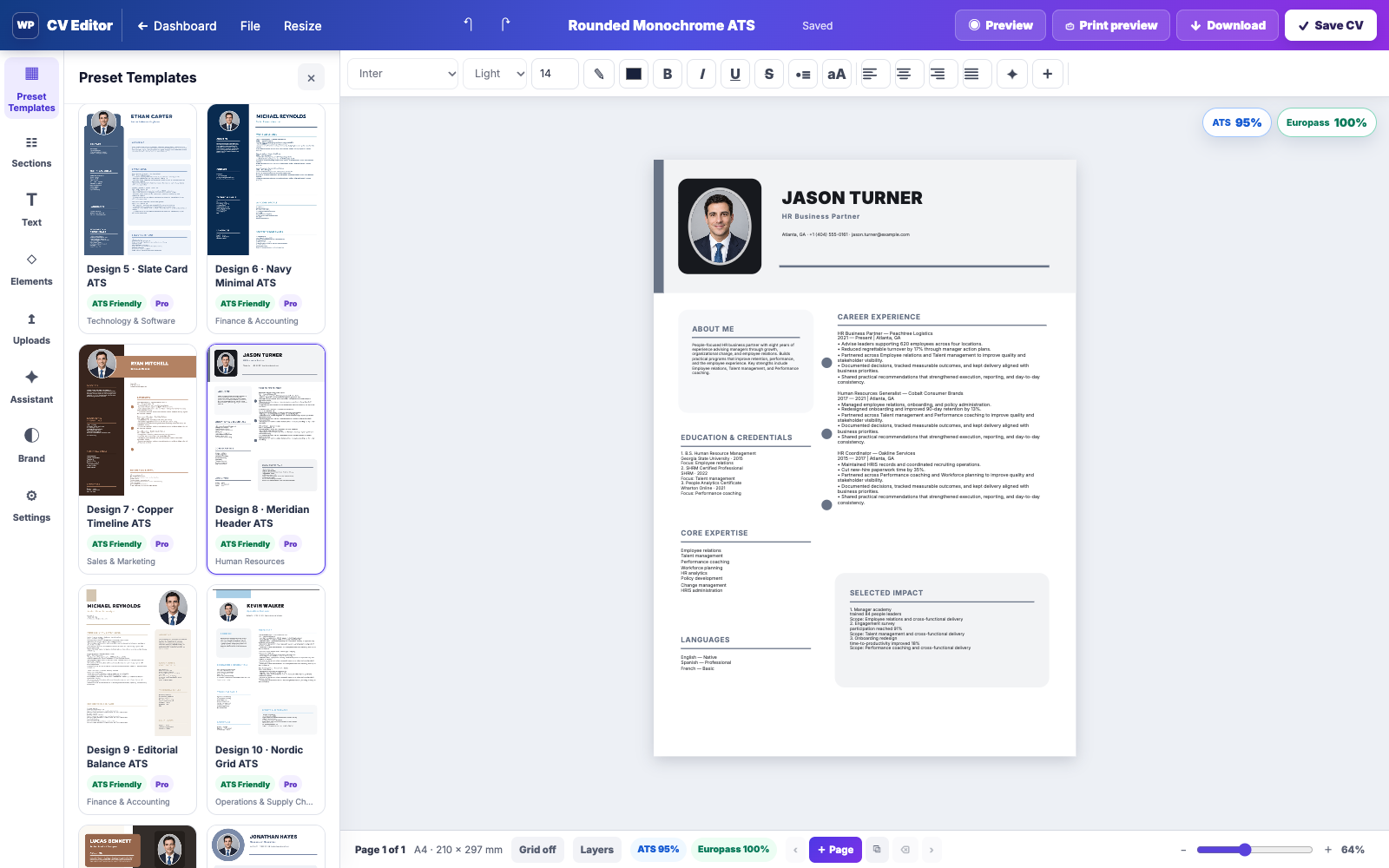
WP CV Builder supplies the WordPress resume workspace and configured AI-assisted writing tools. Its AI features include help with About Me content, cover letters and LinkedIn suggestions. LinkedIn suggestions are not automatic edits to a user’s LinkedIn account. The site owner configures the provider, and provider usage fees are separate from the plugin license.
Watch the real workflow
Common questions
Can AI write a resume from almost no information?
It can generate text, but that does not make the text accurate. Collect verified career facts and require user review before the document is used.
Does buying the plugin include my hosting and AI bill?
No. Plan for your WordPress hosting, domain and any external provider costs separately from the plugin purchase.
Product information: current features, plan comparison and documentation. This guide is published by the WP CV Builder product team. Examples and calculations are illustrative unless stated otherwise.